The Smart Owner’s Guide to Internal Tools for Small Business
Stop patching together spreadsheets and generic SaaS apps — here’s how custom-built internal tools give small businesses the operational edge they’ve been missing.
Why Small Businesses Outgrow Generic Software Faster Than They Expect
When you launch a small business, you grab whatever tools are cheapest and fastest to set up. A shared Google Sheet here, a free Trello board there, maybe a paid subscription to five different SaaS platforms that each do one thing reasonably well. It works — until it doesn’t. The moment your team grows past five people or your workflows get even slightly complex, those patchwork solutions start costing you more in time and errors than they ever saved you in setup fees.
In 2026, the conversation has shifted. Small business owners are no longer asking “can we afford to build internal tools?” — they’re asking “can we afford not to?” Off-the-shelf software is built for the broadest possible audience, which means it’s optimized for no one in particular. Your business has a specific way of qualifying leads, managing inventory, onboarding clients, or tracking project milestones. Generic tools force you to change your process to fit the software. Custom internal tools flip that equation entirely.
The good news is that building internal tools no longer requires a team of engineers or a six-figure development budget. No-code platforms like Bubble.io have changed the math completely, making it realistic for small businesses to own software that’s built exactly around how they operate.
The Most Impactful Internal Tools for Small Business Operations
Not every internal tool is worth building — at least not first. The highest-ROI tools are the ones that sit at the intersection of repetitive tasks, data that lives in multiple places, and processes that require consistent human judgment. If your team is copying and pasting data between systems, manually sending the same type of email every day, or maintaining a spreadsheet that someone has to “protect” so nobody accidentally deletes a formula, you have a prime candidate for an internal tool.
Here are the six types of internal tools that consistently deliver the fastest payback for small business owners:
CRM & Lead Tracker
A custom CRM built around your actual sales stages, not Salesforce’s assumptions about them. Track every lead, note, and follow-up in one place your whole team understands.
Inventory Manager
Real-time stock levels, low-inventory alerts, and supplier contact management tailored to your product catalog — no bloated ERP required.
Client Onboarding Portal
Replace email chains with a structured portal where new clients submit information, sign documents, and track their setup progress automatically.
Project & Task Dashboard
A single dashboard that shows every active project, assigned team member, deadline, and status — filtered exactly the way your team thinks about work.
Quote & Invoice Generator
Build quotes in minutes with pre-loaded service packages, automatically calculate margins, and send branded invoices without switching between three tools.
Reporting & KPI Dashboard
Pull data from your operations into a live dashboard so you and your leadership team can make decisions based on real numbers, not last week’s export.
A Practical Roadmap for Building Internal Tools Without a Tech Team
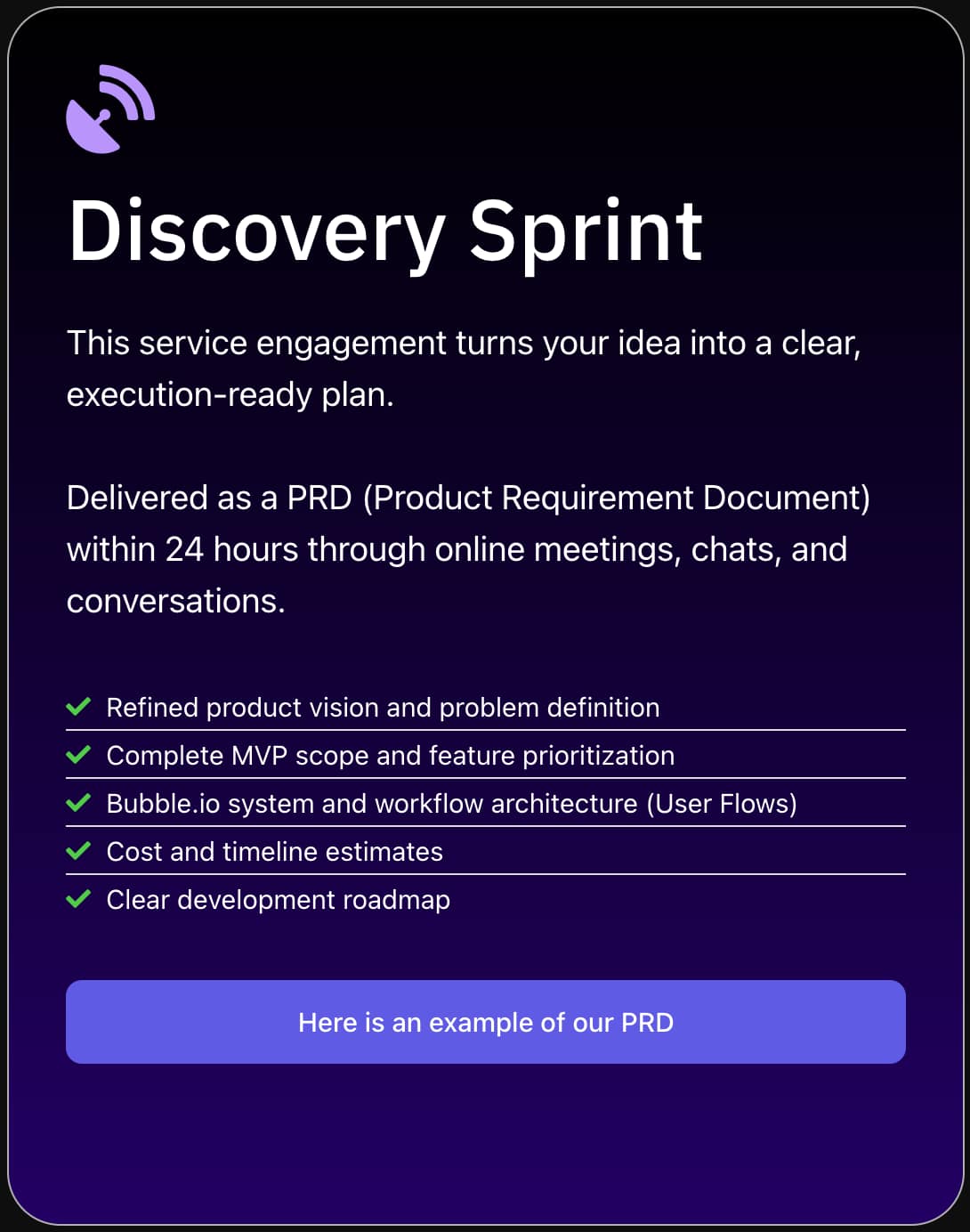
The biggest mistake small business owners make when pursuing internal tools is starting with the technology instead of the problem. Before you write a single line of logic or drag a single UI element onto a canvas, you need to understand exactly what’s broken and what success looks like. Here’s the process SA Solutions uses with every client in our Discovery Sprint:
Map the Painful Process
Identify the one workflow that causes the most friction, error, or delay in your business right now. Document every step, every person involved, and every tool currently being used. This becomes your source of truth for the build.
Define the MVP Scope
Resist the urge to build everything at once. Define the minimum set of features that would eliminate 80% of the friction. An internal tool that does three things perfectly is far more valuable than one that does twelve things poorly.
Choose the Right No-Code Platform
For internal tools that need a database, user roles, workflows, and a real UI, Bubble.io is consistently the strongest choice in 2026. It handles complex logic, integrates with external APIs, and scales as your team grows — without requiring a developer on staff to maintain it.
Build, Test With Real Users
Put your first version in front of the actual team members who will use it daily. Their feedback in the first two weeks will surface every assumption you got wrong. Expect to iterate — that’s not failure, that’s the process working correctly.
Roll Out and Measure Impact
Track the specific metrics you identified in step one. How much time is saved per week? How many errors have been eliminated? These numbers justify the next tool you build and make the case for continued investment in your internal infrastructure.
Start With One Power User
Find the team member who knows the broken process best and make them your co-builder. Their real-world knowledge of edge cases will save you weeks of back-and-forth and produce a tool the whole team actually trusts.
What Makes Bubble.io the Right Foundation for Small Business Internal Tools
In 2026, the no-code landscape is crowded. There are tools for simple forms, tools for automating emails, and tools for building basic dashboards. But Bubble.io sits in a different category entirely — it’s a full-stack development platform that lets you build real web applications with databases, authentication, custom workflows, and integrations, all without writing code. That combination is exactly what internal tools require.
For a small business, the practical advantages are significant. You’re not locked into a vendor’s feature roadmap. If your process changes next year, your tool changes with it — usually in a matter of hours, not months. User permissions mean your accountant sees financial data while your sales team sees only pipeline information. And because Bubble apps live on the web, there’s nothing to install and nothing to update manually across a team of devices.
SA Solutions has built dozens of internal tools on Bubble.io for businesses across industries — from logistics companies tracking deliveries in real time to service businesses automating their entire client onboarding flow. Our Discovery Sprint is specifically designed to take a small business from “we know something is broken” to a fully scoped, ready-to-build plan in a single focused engagement. Athar Ahmad leads every Discovery Sprint personally, so you’re talking to the person who will actually build your tool — not a salesperson handing you off.
-
✓
Full database with relational data — no spreadsheet limitations
-
✓
User roles and permissions built in from day one
-
✓
API integrations with tools you already use (Stripe, Slack, Google, and more)
-
✓
Responsive web app — works on desktop and mobile without a separate build
-
✓
Maintainable and updatable without a developer on retainer
-
✓
Fraction of the cost of traditional custom software development
Frequently Asked Questions
How much does it cost to build internal tools for a small business?
The cost varies significantly based on complexity, but a focused internal tool built on Bubble.io typically runs between $3,000 and $15,000 for a small business — a fraction of what traditional custom software development would cost. The SA Solutions Discovery Sprint starts with a scoping session to give you a clear budget estimate before any commitment is made.
How long does it take to build a custom internal tool?
A well-scoped internal tool built on Bubble.io can typically be delivered in four to eight weeks for a small business MVP. More complex tools with multiple integrations and user roles may take ten to twelve weeks. Starting with a clearly defined scope — which is exactly what the SA Solutions Discovery Sprint produces — is the single biggest factor in keeping timelines tight.
Do I need technical knowledge to use or maintain a Bubble.io internal tool?
No. The beauty of Bubble.io for internal tools is that once it’s built, non-technical team members can use it like any other web app — there’s nothing to install or maintain on your end. Minor updates and additions can often be made by a no-code-literate team member, and SA Solutions offers ongoing support packages for teams who prefer professional maintenance.
What’s the difference between an internal tool and regular business software?
Regular business software like QuickBooks or HubSpot is built to serve millions of different businesses with different needs, which means it comes with features you’ll never use and lacks features specific to your workflow. An internal tool is built exclusively for your business, your team, and your exact process — which is why teams adopt them faster and get more value from them immediately.
Can internal tools integrate with software we already use?
Absolutely. Bubble.io supports REST API integrations, which means your internal tool can connect to virtually any modern software your business already relies on — including payment processors, accounting platforms, email services, messaging tools, and more. SA Solutions maps out all required integrations during the Discovery Sprint so there are no surprises during the build.
Ready to Replace Your Spreadsheet Chaos With a Tool Built for Your Business?
SA Solutions is a certified Bubble.io development agency led by Athar Ahmad. Book a free Discovery Sprint to map out your internal tool’s scope, timeline, and budget — no commitment needed, just clarity.