
Bubble vs FlutterFlow vs Adalo for a Job Board or Recruitment App
Which no-code platform should you use to build a job board, recruitment platform or job placement app? An honest comparison from a certified Bubble studio, including the factor most comparisons ignore: whether Google can actually find your job listings.
The short answer:
- Choose Bubble for a web-based job board or recruitment platform with employer and candidate accounts, search, applications, payments and an admin panel. It handles two-sided platforms and complex logic best, and its pages can be indexed by Google.
- Choose FlutterFlow if your product is mainly a native mobile app for candidates, you have some technical skills, and you want to own and export the code.
- Choose Adalo for a simple mobile-first job app or a quick prototype to test demand, with modest search and matching needs.
What a job board or recruitment app needs
A job placement app is a two-sided marketplace: employers on one side, candidates on the other, often with recruiters or admins in the middle. That structure, more than anything else, decides which platform fits. A typical build needs:
- Separate accounts and dashboards for candidates, employers and admins, each seeing only what they should
- Candidate profiles and CV uploads
- Job posting and management for employers
- Search and filters by role, location, salary, job type and experience
- Applications with status tracking, such as applied, shortlisted, interviewed and hired
- Messaging between employers and candidates
- Email notifications and job alerts
- Payments for job posts, featured listings or employer subscriptions
- Admin moderation of jobs, companies and users
- Search engine visibility for job listings, so candidates can find them on Google
The factor most comparisons miss: Google traffic
Most job boards get a large share of their candidates from search engines. People search for jobs like “junior accountant jobs in Lahore” and click the listings Google shows, including Google’s dedicated job search experience, which reads structured job data from your pages.
That means a job board needs individual, indexable pages for each job, with their own title, description and structured data. This is where the three platforms differ most:
- Bubble builds web apps with real pages. You can give each job page its own dynamic title and meta description, control which pages are indexed, generate a sitemap, and add job structured data to the page header.
- FlutterFlow is built on Flutter, which is designed first for mobile apps. Its web output is generally a poor fit for search engine indexing, so it is not the natural choice if Google traffic matters to you.
- Adalo focuses on mobile apps. Its web apps are not designed around search engine visibility for large numbers of public listing pages.
Rule of thumb: if you want candidates to find your jobs on Google, build the public job board on the web. You can still add a mobile app later.
Bubble for a job board
Bubble is a full-stack no-code platform for web applications: database, user accounts, workflows, payments and design in one place.
Why it suits recruitment platforms:
- Two-sided structure is natural. User roles and privacy rules make it straightforward to give candidates, employers and admins different access to the same data.
- Complex logic without code. Application workflows, status changes, notifications and job alerts are built with visual workflows.
- Built-in database, so profiles, jobs, applications and messages live in one place.
- Payments through Stripe for paid job posts, featured listings or employer subscriptions.
- SEO-ready pages for public job listings, as explained above.
Limitations to know: you cannot export Bubble’s source code, so your app stays on Bubble’s platform. Performance depends on good database design, which matters as your number of jobs and candidates grows. Bubble also offers native mobile app building, but its web builder is the more established part of the platform.
FlutterFlow for a job board
FlutterFlow is a visual builder that generates Flutter code for native iOS and Android apps.
Where it shines: polished native mobile experiences for candidates, such as swiping through jobs, push notifications and fast app-store apps, and the ability to export the code and hand it to developers later.
Limitations to know: it needs a separate backend such as Firebase or Supabase for your database and user accounts, which adds setup and technical decisions. Building two-sided logic, permissions and admin tools usually requires more technical knowledge than Bubble. And as covered above, it is a weaker choice for public, search-indexed job listings.
Adalo for a job board
Adalo is a beginner-friendly no-code builder for mobile and web apps with a built-in database, and it can publish apps to the app stores.
Where it shines: getting a simple job app or prototype in front of real users quickly, for example a niche local job app or an internal placement tool.
Limitations to know: complex search, matching logic and large numbers of listings can stretch it. Many teams use Adalo to validate an idea and rebuild on a more powerful platform once it works.
Side-by-side comparison for job platforms
| Bubble | FlutterFlow | Adalo | |
|---|---|---|---|
| Best for | Web job boards and recruitment platforms | Native mobile candidate apps | Simple mobile job apps and prototypes |
| Candidate, employer and admin roles | Strong | Possible, more technical | Basic |
| Search and filters | Strong | Strong, depends on backend | Basic |
| Google visibility for job listings | Good | Weak on web | Weak |
| Native mobile apps | Available, newer | Excellent | Good |
| Database | Built in | Separate (Firebase or Supabase) | Built in |
| Payments | Stripe plugins and API | Through integrations | Through integrations |
| Code export | No | Yes | No |
| Learning curve | Moderate | Steeper | Easiest |
Pricing changes often on all three platforms, so check each platform’s official pricing page. For Bubble, see our guide to Bubble.io pricing in 2026.
How we would build a job board on Bubble
Here is the blueprint we would start from for a recruitment platform on Bubble.
Data structure
Userwith a role: candidate, employer or adminCompany, linked to its employer usersJob: title, description, location, salary range, job type, status, featured flag and expiry dateApplication: links a candidate to a job, with the CV, cover note and statusMessageandConversationfor employer and candidate chatJob alert: a candidate’s saved search, used to send matching new jobs by email
Key features and how they work
- Privacy rules first. Candidates see their own applications; employers see only applications to their company’s jobs; CVs are never public.
- Fast job search using search constraints on location, type and salary, with paginated results so pages stay quick as listings grow.
- Public job pages with dynamic page titles, descriptions and job structured data, plus a sitemap, so Google can index them.
- Application pipeline where employers move candidates through stages, with an automatic email at each step.
- Monetisation with Stripe: one-off payments for job posts or featured listings, or subscriptions for employers.
- Optional AI matching: score candidates against a job description through the OpenAI or Anthropic API, as an assistant to the recruiter rather than an automatic decision.
From our projects: Work Camping Made Easy
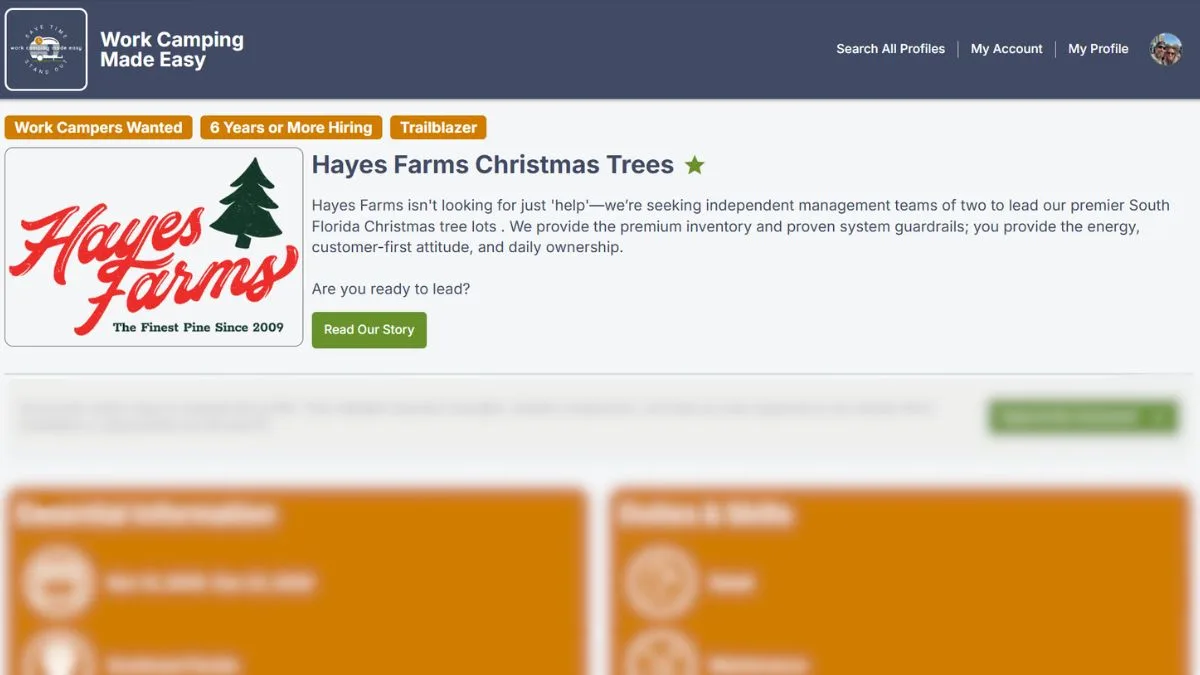
We do not just write about two-sided job platforms on Bubble. We build them. Work Camping Made Easy is a Bubble platform that connects work campers, people who travel and live in RVs and take on seasonal jobs, with employers such as campgrounds, farms and seasonal businesses. Simple Automation Solutions is its founding product engineering team.
It has exactly the structure described in this article: two types of account, each with its own profile, search and dashboard. Employers publish what they offer and the kind of team they want; work campers show their experience, availability and what they are looking for.
What we built that matters for any job platform
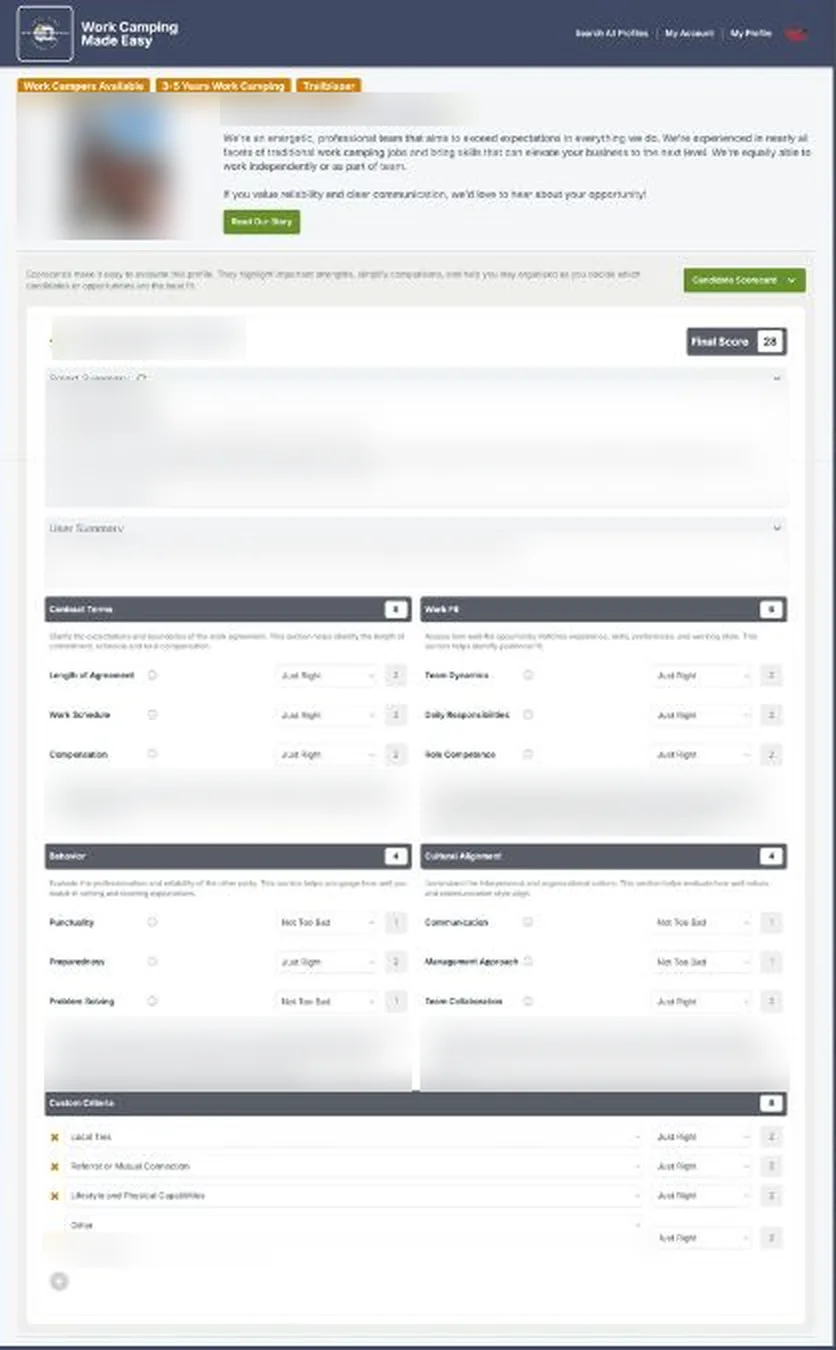
- Candidate scorecards. Employers rate each candidate across contract terms, work fit, behaviour and cultural alignment, plus criteria they define themselves. The scorecard produces a final score and a summary of strengths and concerns, so comparing candidates is fast and consistent.
- Search and discovery, with keyword search plus region and state based filtering.
- Availability tracking, so employers can see who is free for their season.
- Privacy rules and security, so each side only sees what it should.
- Search engine visibility: dynamic profile URLs, structured data, social sharing previews and sitemap and indexing optimisation, which is exactly the factor discussed earlier in this article.
- Memberships and subscriptions through Stripe.
“I hired this company to implement some security fixes on my platform, and they ended up doing that plus a full redesign. Athar and his team have exceeded my expectations in both quality of work and time to delivery.”
Founder, Work Camping Made Easy · Google review
The engagement started with a Product Discovery Sprint, which produced a prioritised roadmap of around 100 hours of foundational improvements, and it continues today as an ongoing product engineering partnership. Read the full Work Camping Made Easy case study.
How job boards make money
Employers pay to publish each job for a set period. Simple and easy to start with.
Upgrades that pin jobs to the top of search results or highlight them.
A monthly plan for a number of active jobs, candidate search or extra features.
For recruitment agencies: a fee when a candidate is hired, tracked in the application pipeline.
What does a job board cost to build on Bubble?
Using the assumptions in our Bubble app cost calculator, a marketplace-style job board with three user roles, payments, employer subscriptions, messaging, email notifications, an admin dashboard, CV uploads, search and filters and two integrations comes out at roughly 330 to 470 hours of work. With an experienced South Asian Bubble agency, that is about $11,700 to $30,600 over 8 to 11 weeks, plus Bubble’s monthly plan. A smaller first version, for example without messaging and subscriptions, costs considerably less.
Try the calculator with your own features to see how the estimate changes.
Still unsure? Take the 1-minute quiz
Answer eight quick questions about what you are building, your budget and your team, and get an honest platform recommendation.
Which no-code platform is right for you?
Answer 8 quick questions and get an honest recommendation, even if it is not Bubble.
Frequently asked questions
Can I build a job board without coding?
Yes. Bubble is well suited to web-based job boards with employer and candidate accounts, search, applications and payments. FlutterFlow and Adalo can also build job apps, mainly for mobile.
Which no-code platform is best for a recruitment app?
For a web-based recruitment platform with several user roles and complex workflows, Bubble. For a native mobile app for candidates with code ownership, FlutterFlow. For a quick, simple mobile prototype, Adalo.
Will my job listings show up on Google?
They can if you build them as public web pages with their own titles, descriptions and job structured data. Bubble supports this well. Mobile-first tools like FlutterFlow and Adalo are weaker for search-indexed listings.
Can a Bubble job board also have a mobile app?
Yes. Bubble offers native mobile app building, and many teams launch the web job board first, then add a mobile app for candidates once the product is proven.
How long does it take to build a job board on Bubble?
A focused first version can take a few weeks. A full recruitment platform with payments, messaging, subscriptions and an admin panel typically takes 8 to 11 weeks with an experienced team.
Related guides
- How to build a SaaS for recruitment agencies on Bubble.io
- The complete no-code platform comparison
- Bubble.io app development cost in 2026
Planning a job board or recruitment platform?
Tell us your idea and we will map out the features, platform and budget with you, free.
